
Recover lost files with Recuva
Mon, 04/02/2007 - 15:46 — Ciprian
Recuva is a free Windows utility that allows users to restore files that have been accidentally deleted from their computer. This includes file emptied from the Recycle Bin and files deleted by bugs, crashes or viruses.
It supports all versions of Windows including the new Windows Vista operating system. The setup file has a size of only 200KB and the application itself is very light on resources consumption. Also the interface is very clean and easy to use.
The process of recovering lost files is very straight-forward: launch the application, choose the drive where the lost files were placed and press the Scan button.
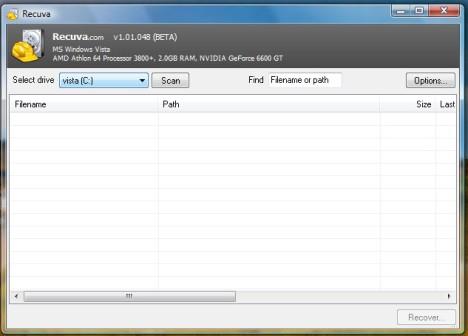
Recuva will scan the selected drive and will load a list of files that can be recovered. Select the ones your would like to recover and then press the Recover button.
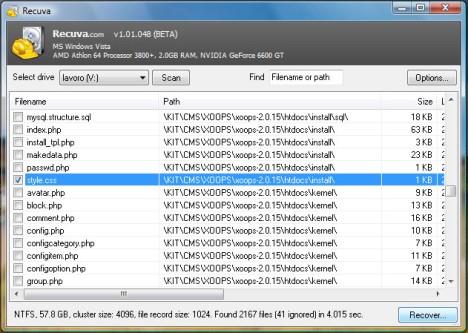
Recuva will ask you to select the location where you want to save these files and start the recovering process.
Related articles:
Handy Recovery - When Deleting is Not for Ever and for Always
How to configure the Recycle Bin

This work is licensed under a Creative Commons Attribution-Noncommercial 3.0 License.
Microsoft, Windows and the Windows logo are either registered trademarks or trademarks of Microsoft Corporation in the United States and/or other countries. Microsoft Corporation in no way endorses or is affiliated with www.vista4beginners.com.
All other products mentioned are registered trademarks and/or trademarks of their respective companies.
Comments
ACCIDENTAL DELETION OF RESTORE POINTS
IS THERE ANY WAY TO RECOVER THESE???
Post new comment